Step 1
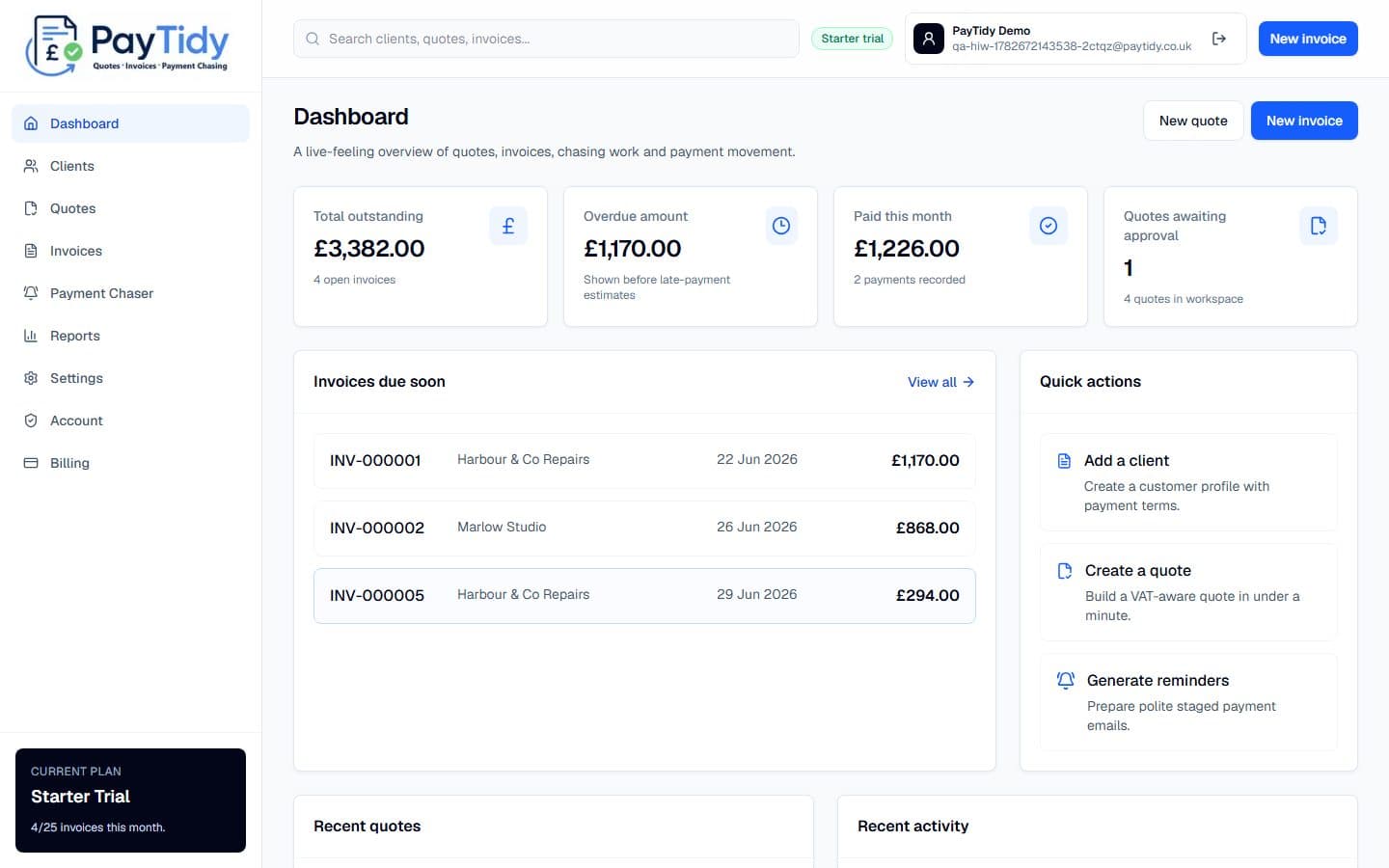
Dashboard
Start with the money view: outstanding totals, overdue invoices, recent activity and quick actions.
How it works
These PayTidy Starter demo screenshots show the main pages small UK businesses use day to day: clients, quotes, invoices, reminders, reports and settings.
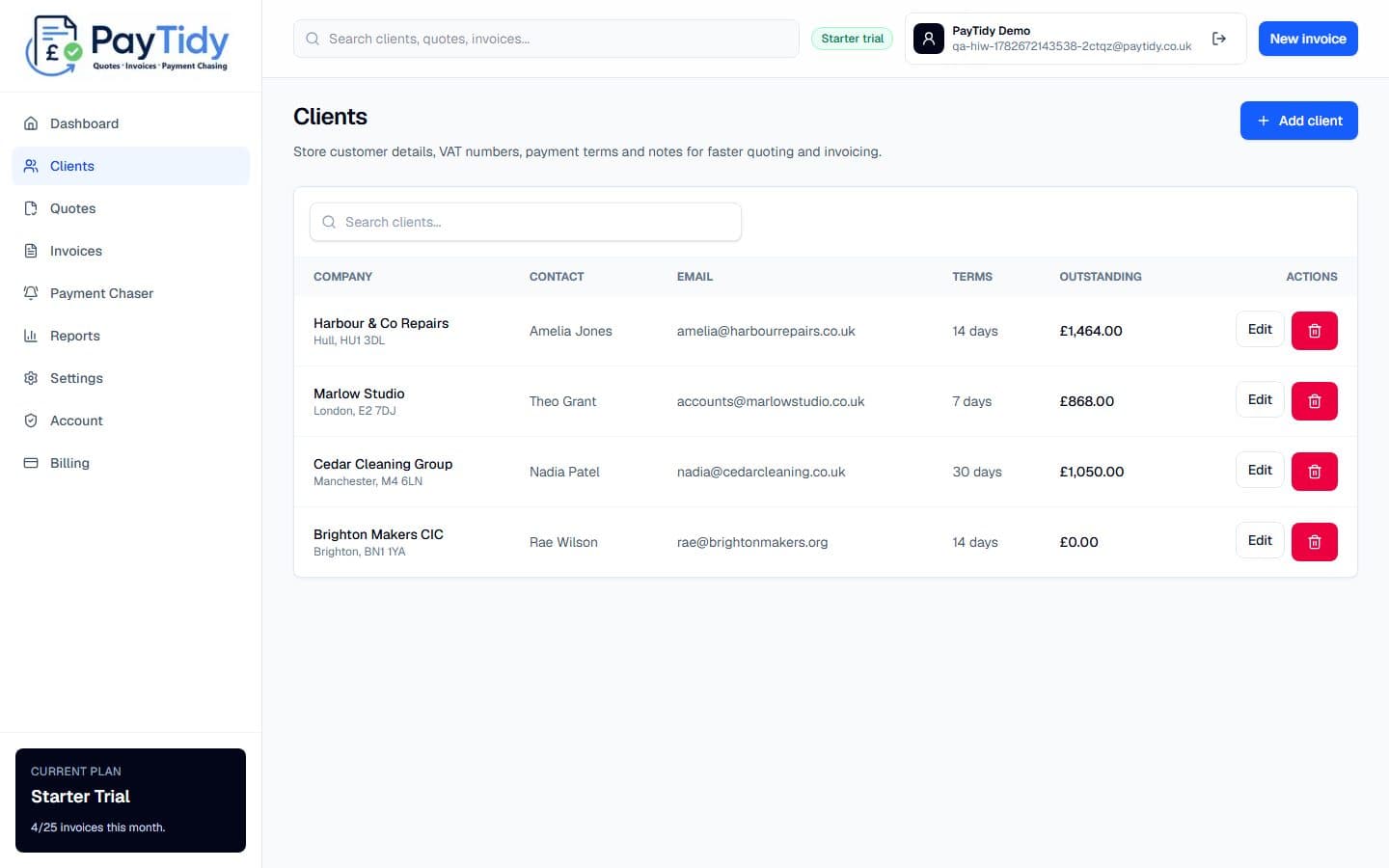
Keep customer details, VAT numbers, payment terms and outstanding balances ready for new quotes.
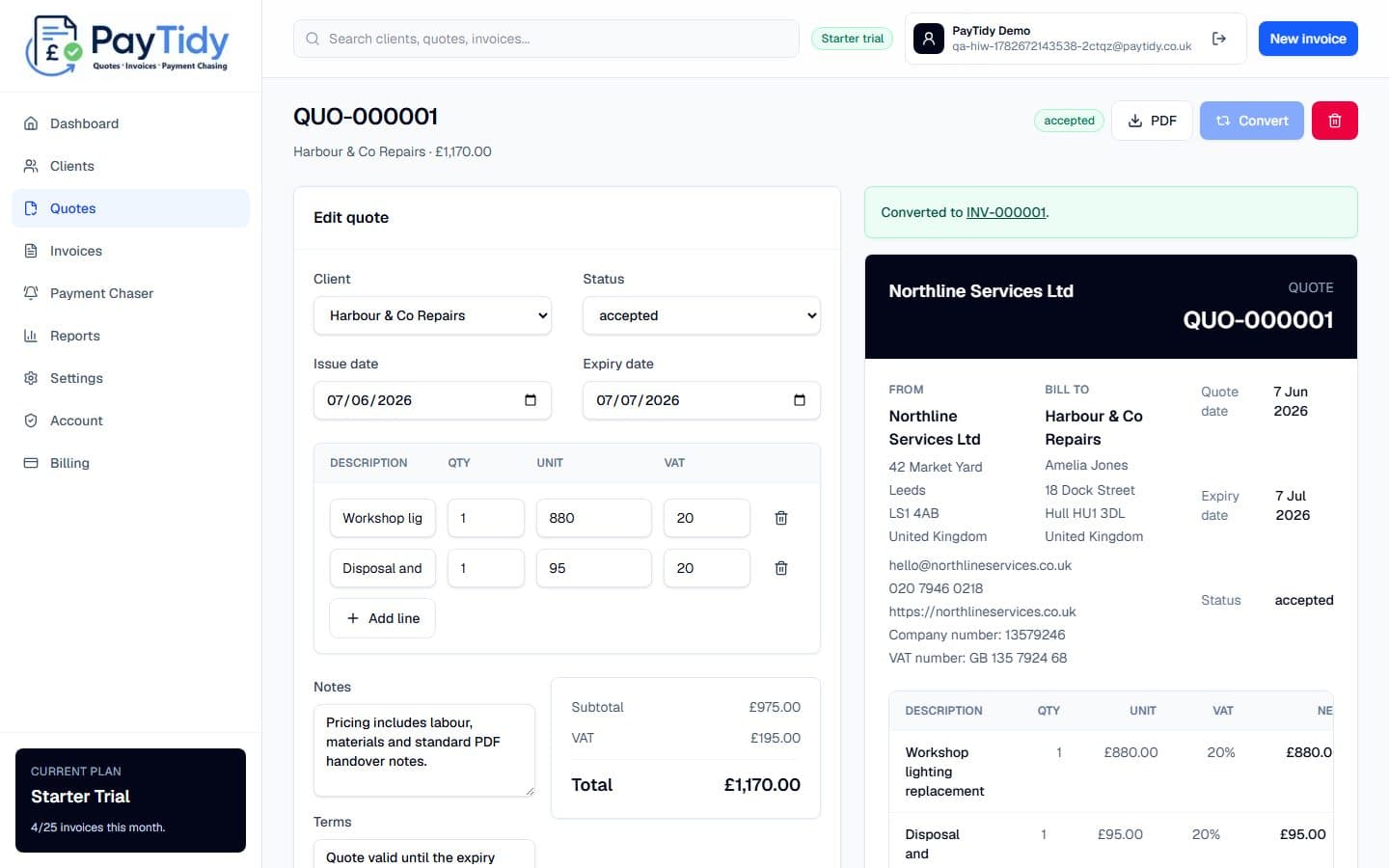
Build a professional quote with line items, VAT, expiry dates, terms and a live document preview.
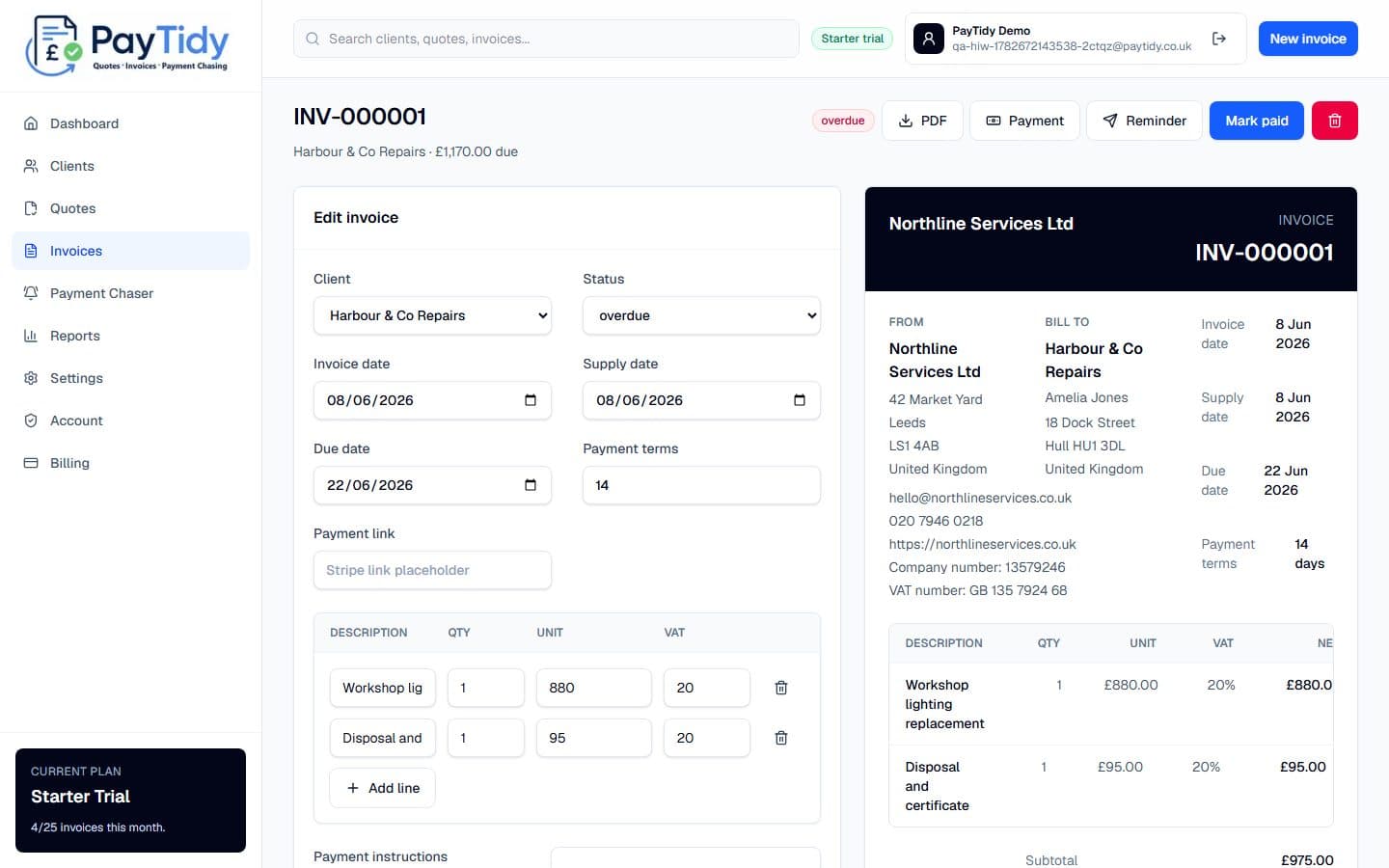
Convert accepted work into numbered invoices with due dates, payment instructions and PDF export.
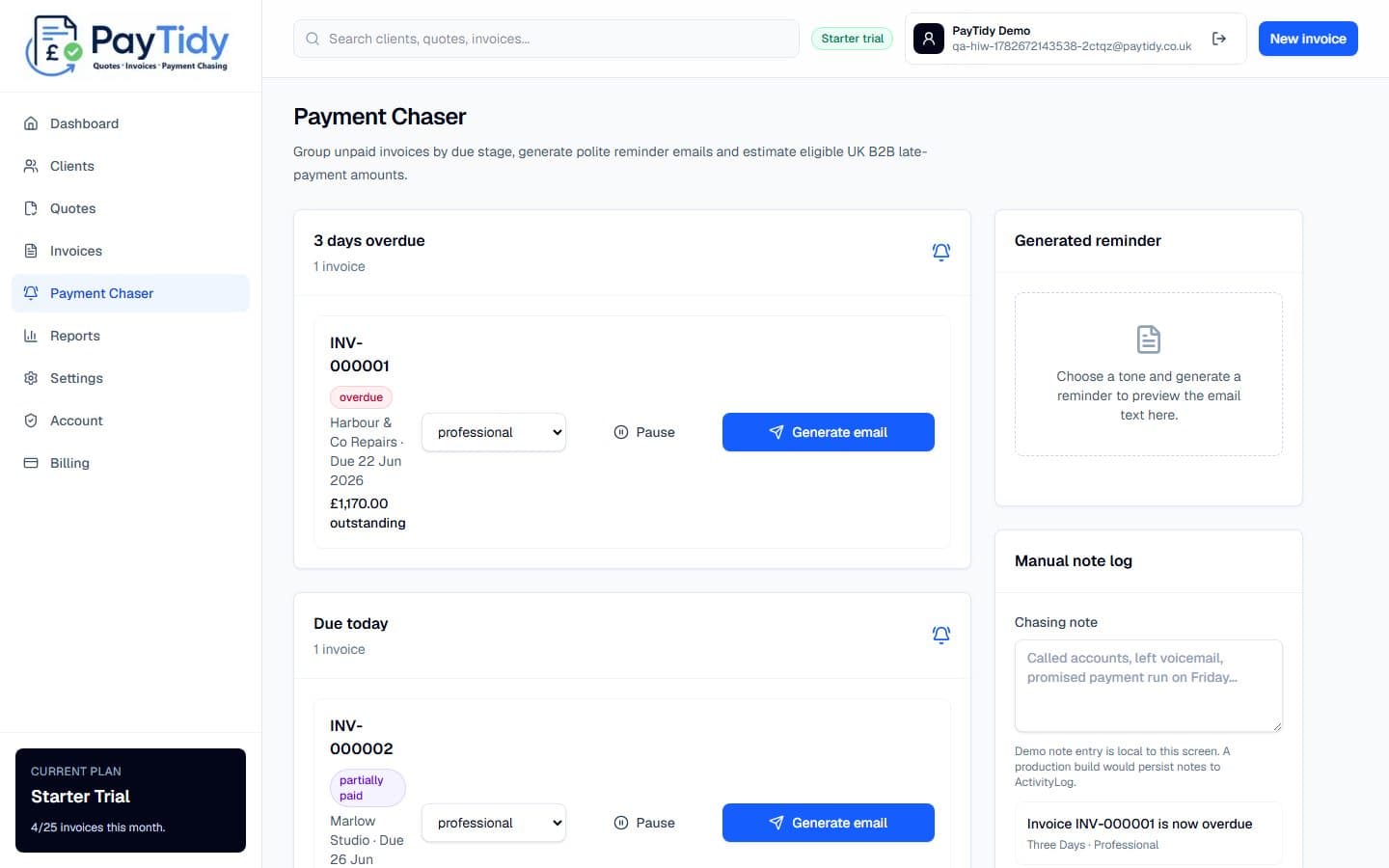
Generate polite reminder emails, track sent reminders and keep overdue work moving.
Step 1
Start with the money view: outstanding totals, overdue invoices, recent activity and quick actions.
Step 2
Store customer records once, then reuse them across quotes, invoices and payment chasing.
Step 3
Prepare quotes with editable line items and preview the customer-facing document before sending.
Step 4
Issue invoices with VAT, due dates, bank details, PDF export and payment status controls.
Step 5
Draft friendly, professional or firm reminder emails using invoice and client details.
Step 6
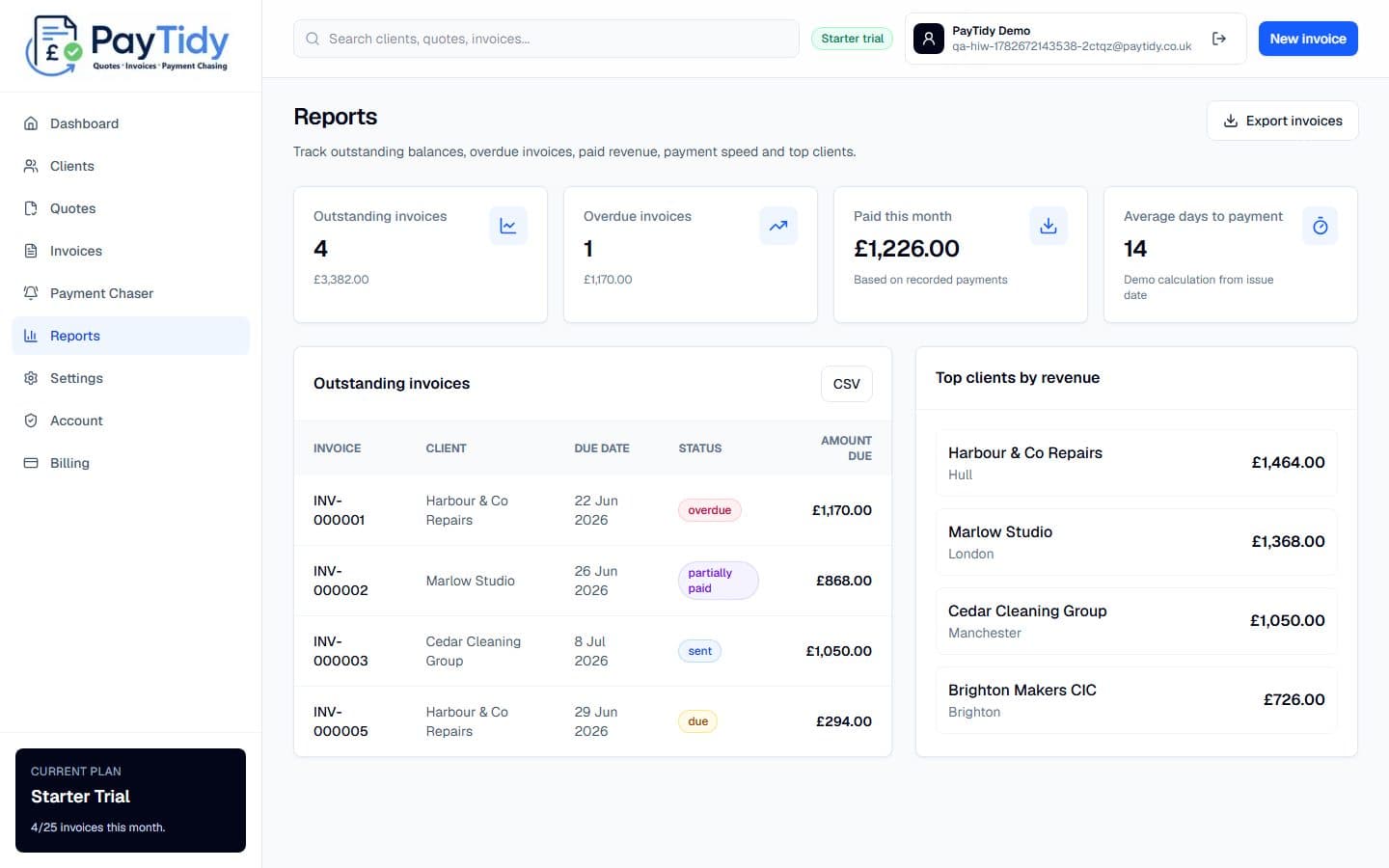
Review outstanding invoices, overdue balances, paid totals and top customers at a glance.
Step 7
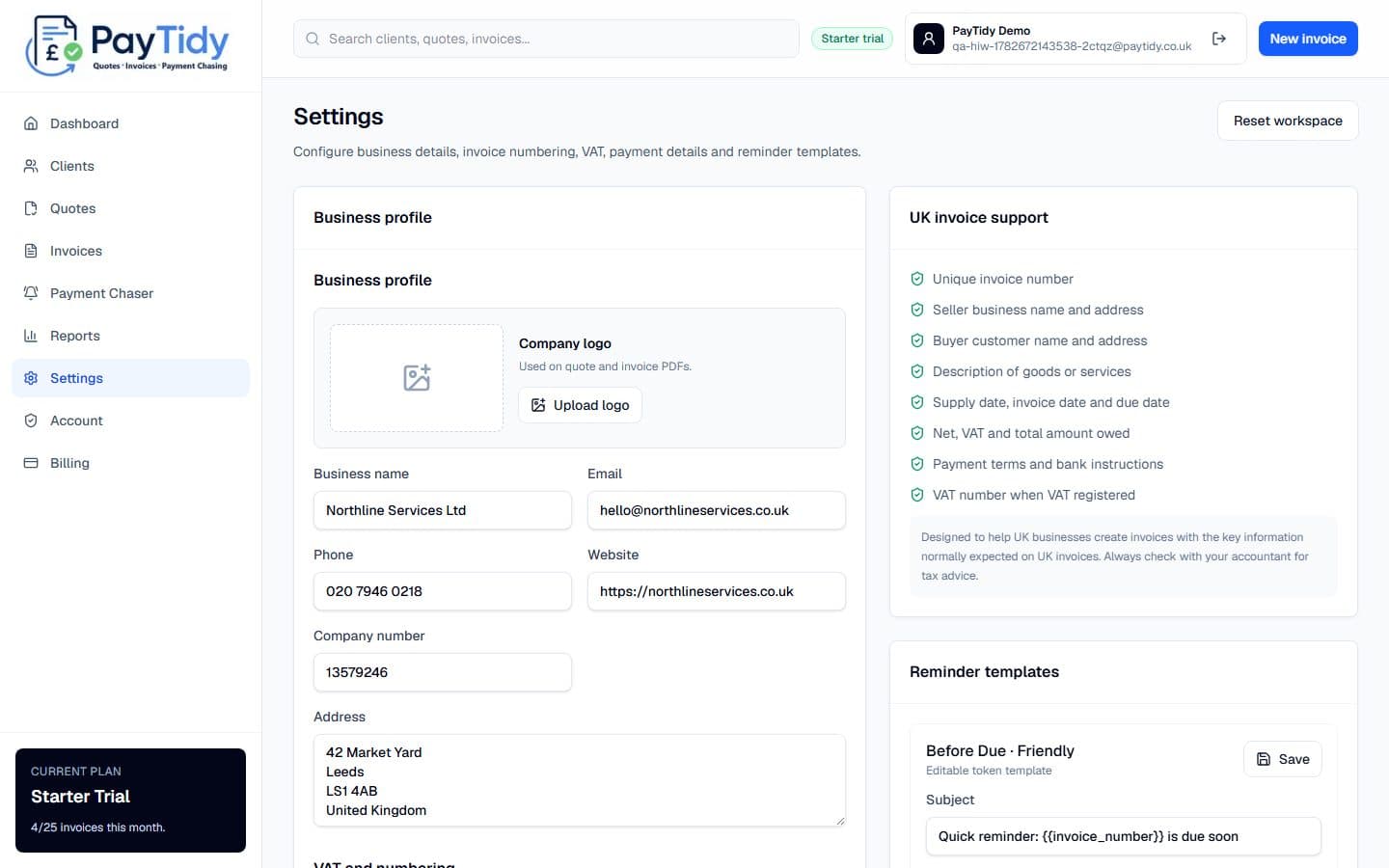
Configure VAT, numbering, payment details, business branding and reminder templates.
Create a workspace and start with your own clients, quotes and invoices.